
People don’t search for arrest records in Michigan on a good day.
They search Arrests.Org Michigan when something feels off. A phone goes quiet.
A name comes up in a conversation with police. Someone doesn’t come home, and suddenly the night stretches longer than it should.
Most first-time searches lead to Arrests.Org Michigan. Mugshots appear. Dates are listed. Counties are named.
For someone who has never dealt with this system before, it feels like the truth is sitting right there.
It isn’t.
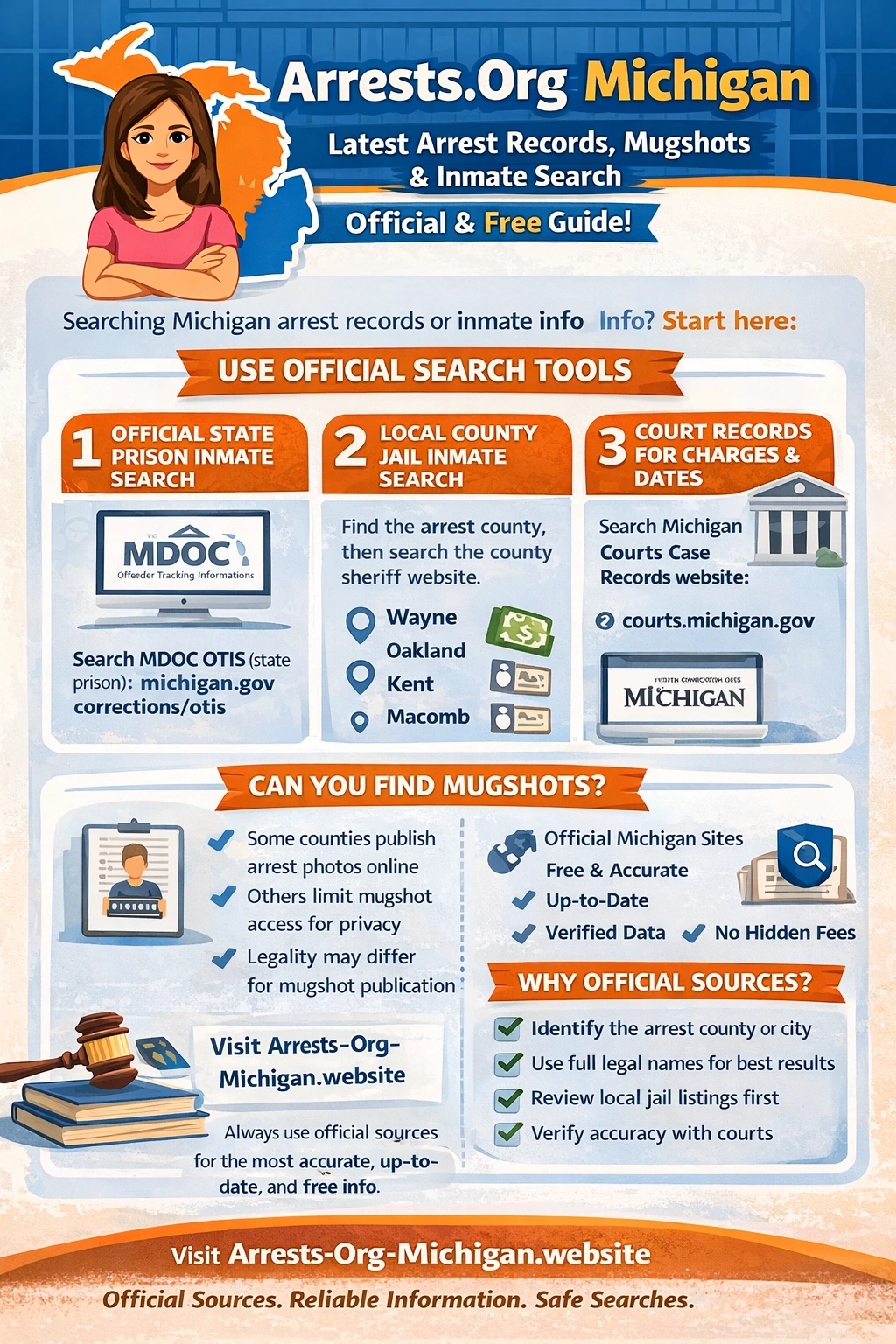
Arrests.Org Michigan can be a starting point. It cannot be the finish line. Michigan keeps arrest information, inmate records, jail rosters, court cases, and release details spread across different government offices, each with its own role.
This page explains how to use Arrests.Org Michigan correctly, what it can and cannot tell you, and how to move step by step through official Michigan sources to find real, current answers.
What Arrests.Org Michigan Actually Is
Arrests.Org Michigan is a third-party website. It does not belong to the State of Michigan, county sheriffs, or the courts. It collects public booking data and republishes it.
What Arrests.Org Michigan can show
-
A booking photo that was once public
-
A name
-
An arrest date
-
A county
What it cannot confirm
-
Whether the person is still in custody
-
Whether bond was posted
-
Whether charges were filed
-
Whether a case was dismissed
-
Whether the information is current
The only reliable thing Arrests.Org Michigan gives you is a county name. That is where your real search begins.
Practical Step-by-Step: How to Use Arrests.Org Michigan
🔹 Website: Michigan.arrests.org
Step 1: Open the Michigan section
Do not rely on general search results. Go directly to the Michigan page so results are filtered correctly.
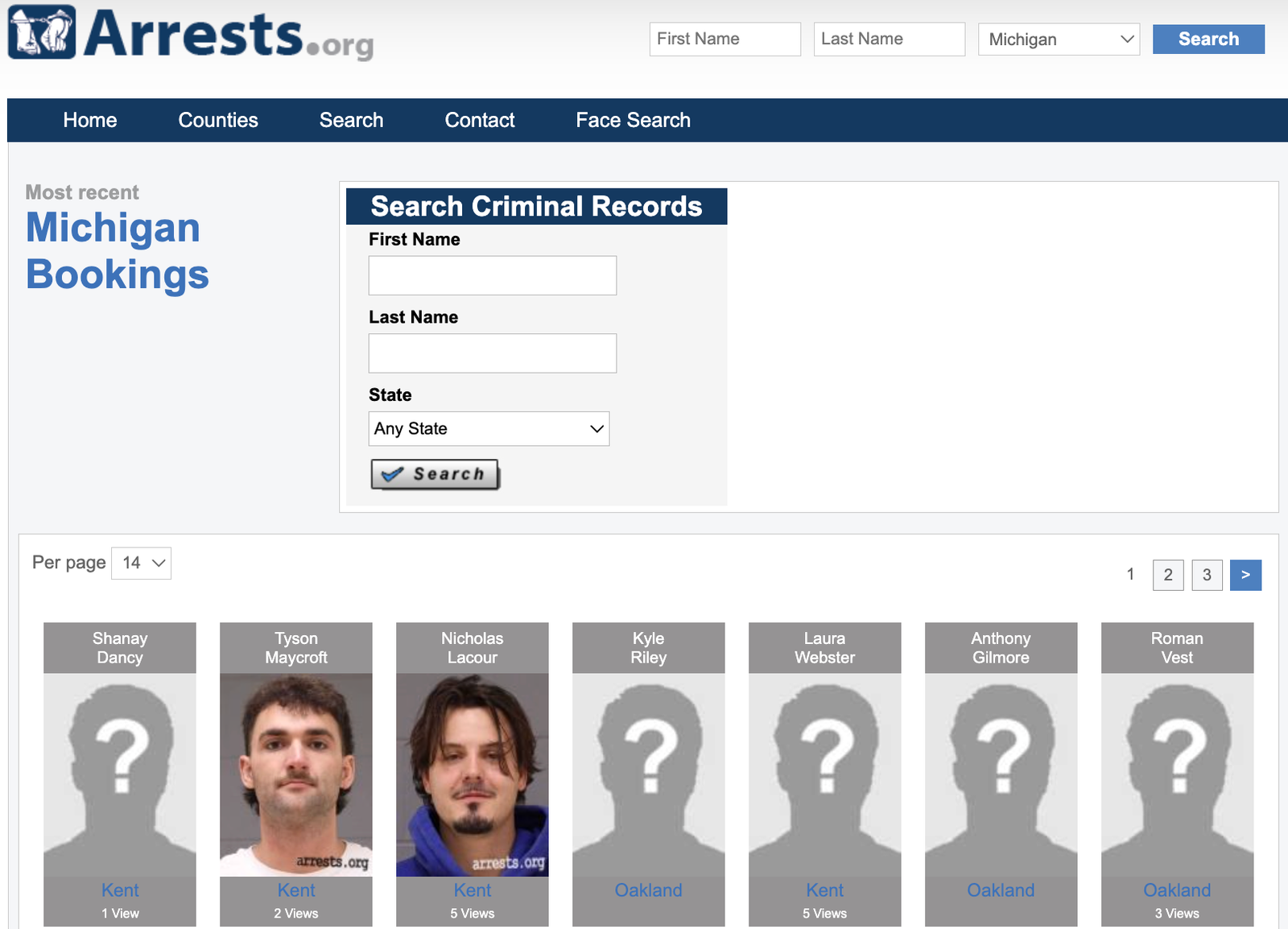
Step 2: Search by last name first
Start with the last name only. Booking records often contain spelling errors.
Step 3: Open a matching profile
You may see:
-
Full name
-
Arrest date
-
County
-
Alleged charge
👉 Focus only on the COUNTY listed.
Step 4: Do not assume custody
A mugshot does not mean the person is still in jail. Arrests.Org Michigan does not update release or bond information reliably.
Step 5: Leave the site
Once you have the county name, move immediately to official Michigan systems.
How Arrests and Inmate Records Work in Michigan
Michigan does not have one master arrest database.
The process works like this:
-
Arrest happens locally
-
Person is booked into a county jail
-
Sheriff manages custody
-
Courts decide charges
-
State prison comes later, only after conviction
Most beginners skip county jails and jump straight to state systems. That’s why they find nothing.
Below are OFFICIAL MICHIGAN GOVERNMENT SITES you can safely include under
“Arrests.Org Michigan – Arrest Records, Mugshots & Inmate Search”,
with clear, practical step-by-step instructions for beginners.
These are not third-party sites. These are the sources that courts, sheriffs, and lawyers actually use.
1️⃣ Michigan Offender Tracking Information System (OTIS)
(State Prison, Parole & Probation)
🔗 Official Site:
https://www.michigan.gov/corrections/otis
What this site is for
-
People already sentenced
-
Prison inmates
-
Parole or probation status
What it does NOT show
-
Recent arrests
-
County jail inmates
-
People released on bond
Practical steps to use OTIS
-
Open the OTIS website
-
Click “Offender Search”
-
Choose Name Search
-
Enter last name first
-
Add first name if known
-
Click search
-
Click the matching name to see status and location
If no record appears, the person is not in state custody.
2️⃣ Michigan State Police – ICHAT Criminal History
(Official Arrest & Conviction Summary)
🔗 Official Site:
https://www.michigan.gov/msp/services/chr
What this site is for
-
Official Michigan criminal history
-
Arrests reported to MSP
-
Convictions and dispositions
⚠️ Small fee required for full search
Practical steps
-
Open the ICHAT page
-
Read eligibility and access rules
-
Start a name-based search
-
Enter full legal name
-
Pay the fee
-
Review the criminal history report
Use this when you need verified statewide records, not jail status.
3️⃣ Wayne County Jail Inmate Search (Detroit Area)
🔗 Official Site:
https://www.sheriffconnect.com/dashboard/inmate-search/
What it shows
-
Current inmates
-
Booking information
-
Custody status
Practical steps
-
Open the inmate search page
-
Enter last name
-
Review the list
-
Click the name if shown
If no result:
-
Try spelling variations
-
Call the Wayne County Jail directly
4️⃣ Kent County Inmate Lookup (Grand Rapids Area)
🔗 Official Site:
https://www.kentcountymi.gov/1280/Inmate-Lookup
Practical steps
-
Open the Kent County inmate lookup
-
Enter last name
-
Review booking details
-
If no match, check again later or call the sheriff
Kent County updates regularly but not instantly.
5️⃣ Oakland County Inmate Information
🔗 Official Site:
https://www.oakgov.com/government/sheriff/jail/inmate-information
Practical steps
-
Open Oakland County inmate information page
-
Follow the inmate lookup instructions
-
Search by last name
-
Contact the jail if the system returns no results
6️⃣ Ottawa County Inmate Lookup
🔗 Official Site:
https://app.miottawa.org/InmateLookup/
Practical steps
-
Open the Ottawa County inmate lookup
-
Enter last name
-
Add first name if needed
-
Review current custody results
7️⃣ Berrien County Jail Inmate Search
🔗 Official Site:
https://www.berriencounty.org/558/Inmate-Search
Practical steps
-
Open the Berrien County inmate search page
-
Enter last name or booking date
-
Review the inmate list
-
Click for booking details
8️⃣ Michigan Court Case Search (County Level)
Michigan does not have one single public statewide criminal case search.
Court records are handled by county courts.
Example: Ingham County Court Records
🔗 Official Site:
https://courts.ingham.org/CourtRecordSearch/
Practical steps
-
Open the court record search page
-
Choose criminal case search
-
Enter name and date of birth (if required)
-
Review charges, court dates, and status
Repeat this process for the county where the arrest happened.
9️⃣ Michigan VINELink – Custody Status Notifications
🔗 Official Site:
https://vinelink.vineapps.com/state/MI
What this site is for
-
Release notifications
-
Custody status updates
Practical steps
-
Open VINELink
-
Select Michigan
-
Enter the person’s name
-
Register for alerts by phone or email
This does not show charges but helps track custody changes.
🔟 How to Use These Sites Together (Correct Order)
When starting from Arrests.Org Michigan, always do this:
1️⃣ Arrests.Org Michigan → find county
2️⃣ County jail inmate search → confirm custody
3️⃣ County court search → confirm charges
4️⃣ OTIS → check prison or supervision status
5️⃣ ICHAT → verify official criminal history
6️⃣ VINELink → monitor custody changes
Final Reminder (Very Important)
Arrests.Org Michigan is not official.
It can point you toward a county, nothing more.
Sheriff websites, jail rosters, court systems, and state databases are where truth lives.